
Download Ocster Backup Free – Simple, Secure Backup Tool for Windows
Overview
Keeping your personal documents, photos, and work files safe shouldn’t feel like a full‑time job. Ocster Backup Free delivers a no‑frills, wizard‑driven experience that lets you create reliable backup copies in just a few clicks. Designed for users who want “set‑and‑forget” protection, the program guides you through selecting source folders, choosing a destination drive or network share, scheduling automatic runs, and optionally adding a password for encryption.
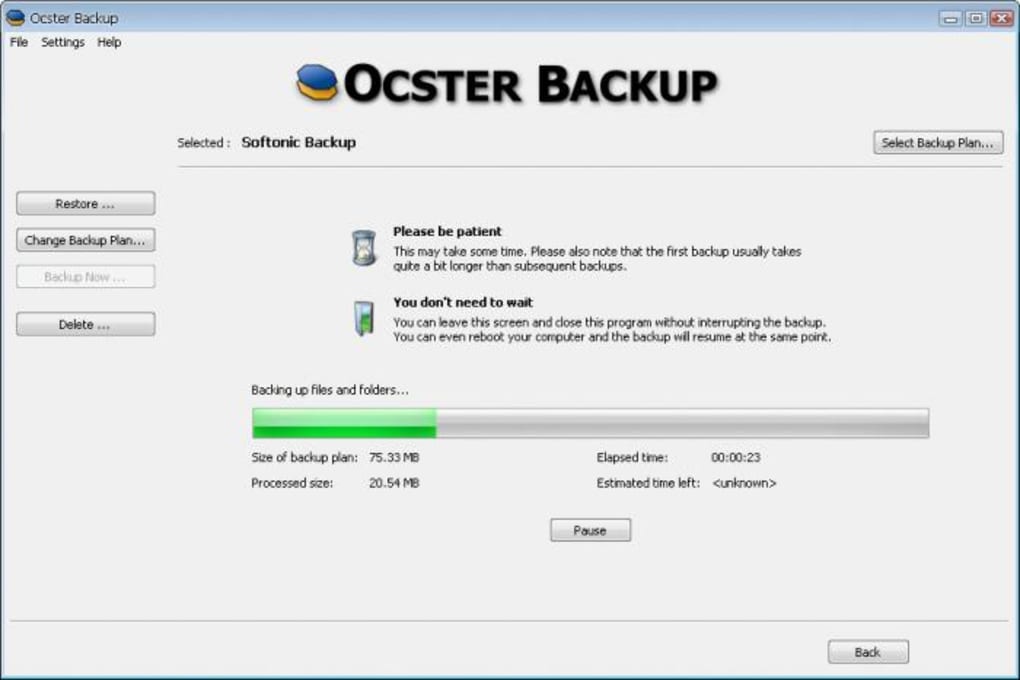
Once the initial backup finishes in the background, Ocster continues to run silently, launching new jobs according to the timetable you defined. Because it strips away advanced configuration options, the interface stays clean and intuitive—perfect for beginners or anyone who simply wants to protect their data without learning a complex backup suite. Whether you’re a student with a laptop, a freelance designer juggling multiple external drives, or a small office looking for a free solution, Ocster Backup Free offers a straightforward way to keep critical files safe, free of hidden fees, and without the steep learning curve that many commercial backup tools impose.
Key Features of Ocser Backup Free
- Wizard‑Based Setup: Step‑by‑step guidance for selecting files, destination, schedule, and password.
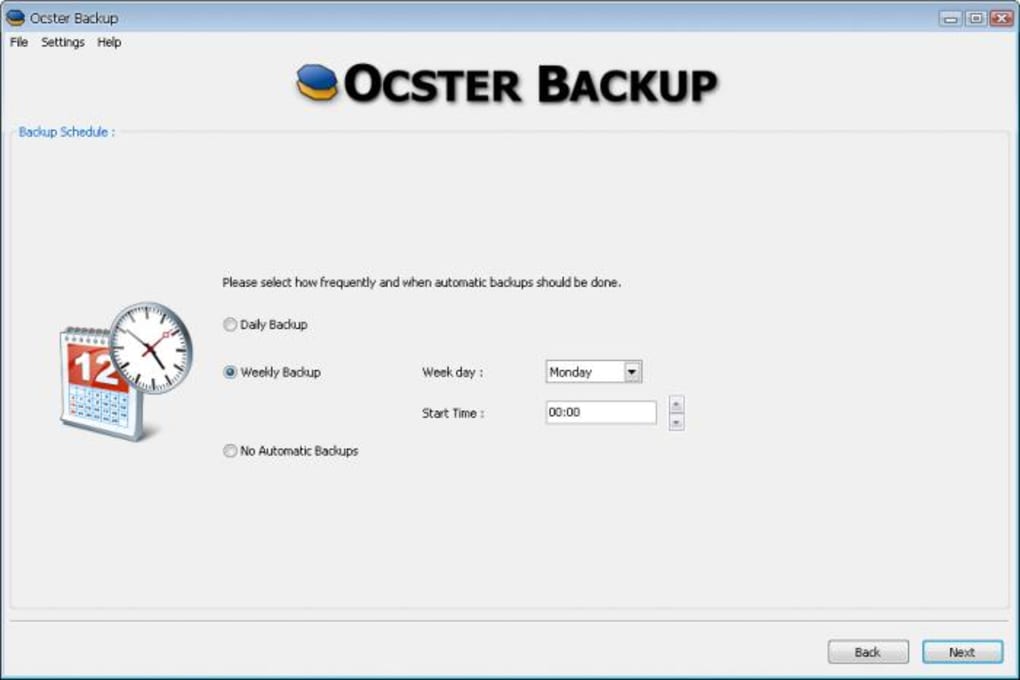
- Automatic Scheduling: Choose daily, weekly, or monthly runs; the software executes backups in the background.
- Password Protection: Optional encryption password secures backup archives from unauthorized access.
- Background Operation: Once a job starts, it runs silently, allowing you to continue working.
- Free for Personal Use: No hidden fees, trial periods, or forced upgrades.
- Lightweight Engine: Minimal CPU and RAM consumption, ideal for older PCs.
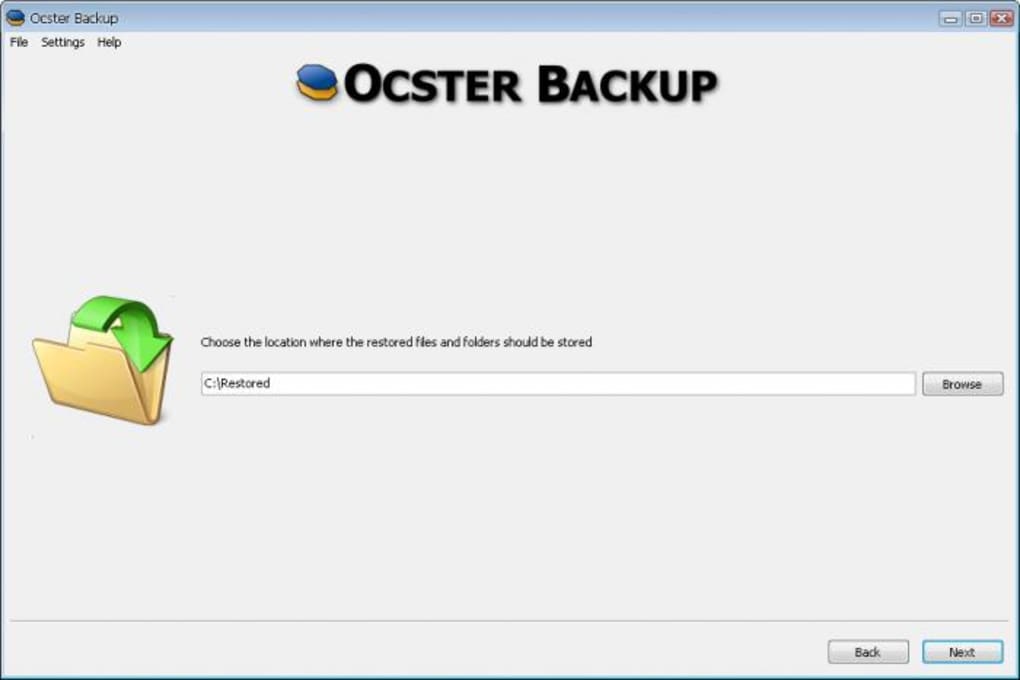
- Simple Restore Process: One‑click restore from the backup list restores files to their original location.
While Ocster Backup Free does not include advanced features such as versioning, cloud sync, or granular file‑type filters, its streamlined approach makes it a solid choice for users who prioritize ease of use over extensive customization. The program’s limited scope also reduces the risk of misconfiguration, which can lead to missed backups—a common pitfall in more feature‑rich solutions. In short, the feature set focuses on the three pillars of any good backup strategy: reliability, security, and automation, all packaged in a clean, ad‑free interface.
Installation, Compatibility, Pros & Cons, and Frequently Asked Questions
Installation & Usage Instructions
Installing Ocster Backup Free is as simple as downloading the installer from the official website. After saving the .exe file, double‑click to launch the setup wizard. Follow the on‑screen prompts: accept the license agreement, choose an installation folder (the default location works for most users), and click “Install.” Once the program finishes, it automatically opens the backup creation wizard. From there, you’ll:
- Select the source folders you want to protect.
- Pick a destination—local drive, external USB, or network share.
- Set a schedule (daily at 02:00 AM is recommended for most home users).
- Enter an optional password if you need encryption.
- Confirm the settings and click “Finish” to start the first backup.
The initial backup runs in the background, and you can monitor progress via the system tray icon. Future backups occur automatically according to the schedule, requiring no further interaction.
Compatibility
Ocster Backup Free is built exclusively for the Windows platform. It supports Windows 10, Windows 11, and Windows 7 (SP1) with the latest service packs. The software runs on both 32‑bit and 64‑bit architectures, though 64‑bit systems benefit from slightly faster compression and lower memory usage. No macOS, Linux, Android, or iOS versions are currently offered, so Windows users looking for a free, lightweight backup solution will find it most suitable.
Pros and Cons
- Pros:
- Extremely easy to set up—perfect for beginners.
- Runs silently in the background, minimizing interruptions.
- Free for personal use with no ads or hidden costs.
- Low system resource footprint.
- Optional password protection adds a layer of security.
- Cons:
- Lacks advanced features like cloud integration, versioning, or incremental backups.
- Windows‑only; no support for macOS or mobile platforms.
- No built‑in reporting dashboard for detailed backup logs.
- Limited customization may not satisfy power users.
Frequently Asked Questions
Is Ocster Backup Free truly free, or are there hidden fees?
The software is completely free for personal use. There are no trial periods, subscription fees, or hidden charges. A paid “Pro” version exists for businesses, but the free edition remains fully functional for home users.
Can I back up to a cloud storage service like OneDrive or Google Drive?
Ocster Backup Free does not include native cloud integration. However, you can select a local folder that syncs with a cloud client (e.g., the OneDrive folder) as the destination, effectively achieving cloud backup.
How secure is the password protection feature?
The password encrypts the backup archive using AES‑256 encryption, which is industry‑standard for protecting data at rest. While it provides strong security, remember that losing the password means you cannot restore the backup.
Can I schedule multiple backup jobs with different sources and destinations?
Yes. The wizard allows you to create as many backup jobs as you need, each with its own schedule, source folders, and target location. All jobs are managed from the main application window.
What happens if the backup destination drive is disconnected?
Ocster Backup Free will pause the job and log an error. When the drive is reconnected, the next scheduled run will resume automatically, ensuring no data is lost due to temporary disconnections.
Conclusion – Is Ocster Backup Free Right for You?
If you’ve been putting off regular backups because the process feels overwhelming, Ocster Backup Free offers a refreshingly simple solution. Its wizard‑driven interface, automatic scheduling, and optional password protection cover the essential pillars of a solid backup strategy without bombarding you with endless options. While power users may miss features like incremental backups, version history, or native cloud sync, the program’s lightweight design and zero‑cost licensing make it an excellent choice for students, freelancers, and small home offices. To experience hassle‑free protection, simply download Ocster Backup Free today, run the quick setup wizard, and let the software safeguard your most valuable files while you focus on what matters most.
Ocster Backup Free delivers a user‑friendly, no‑frills backup experience that works reliably on Windows PCs. Its strength lies in simplicity, making it ideal for anyone who wants “set‑and‑forget” protection without paying for unnecessary extras.







